Build React Sidebar Component with Help of NPM Package

Sanjay Joshi
Jan 08, 2026
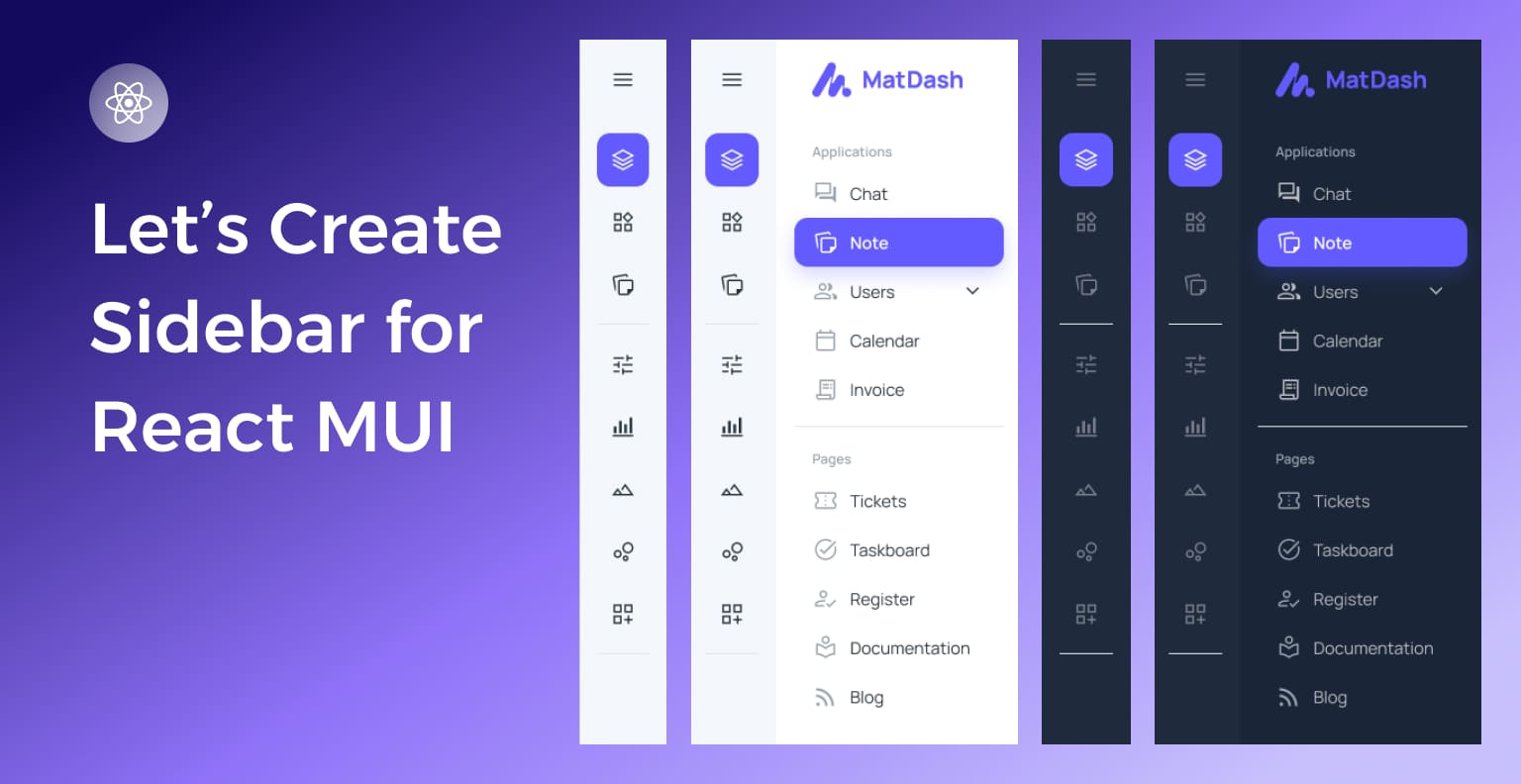
In modern web development, a well-designed react sidebar can greatly enhance user experience by providing easy navigation and access to essential features. As we are already in 2025, the role of sidebars has become increasingly crucial for intuitive user interfaces.
Introduction to the react mui sidebar NPM package
The react mui sidebar, powered by Material-UI, stands out as a leading React NPM package designed to streamline the creation of responsive and highly customizable sidebars. In this article, we will explore the key aspects of react-mui-sidebar and how it elevates the sidebar experience in React applications.
Understanding MUI Sidebar
What is MUI (Material-UI)?
Material UI is a widely adopted React UI framework that brings Google’s Material Design principles to React applications. MUI Sidebar leverages the strengths of Material-UI, providing a seamless integration for creating visually appealing and responsive sidebars.
Features of React Sidebar
- Responsive Design: MUI Sidebar ensures a consistent and adaptive layout across various screen sizes, catering to the increasing demand for mobile-friendly interfaces.
- Customization Options: Developers can easily change the appearance of the sidebar to match the overall design of their application, allowing for a cohesive and branded look.
- Integration with React: MUI Sidebar seamlessly integrates with React, offering a familiar and efficient development experience.
- User-Friendly: MUI Sidebar is designed with simplicity in mind, making it easy for developers to incorporate into their projects. With intuitive documentation, developers can quickly grasp and implement the sidebar functionality.
- Icons Support: The sidebar comes with built-in support for icons, allowing developers to enhance the visual appeal and usability of their application. Developers can use any icon library and provide the icon component.
- Menu and Submenu Support: It provides a hierarchical structure with support for both main menus and nested submenus. This feature enables developers to organize and present complex navigation structures in a clear and intuitive manner.
- Smooth Transitions: The sidebar incorporates smooth transition effects, enhancing the overall user experience by providing a visually pleasing navigation flow. Animations are thoughtfully implemented to avoid any jarring effects during sidebar interactions.
Why choose react mui sidebar?
Optimized Performance
react-mui-sidebar is designed and configured for high performance, ensuring smooth and responsive user interactions. This is crucial for applications, especially those with complex or intricate user interfaces, where performance issues can negatively impact the user experience.
Community Strength
The mention of a vibrant Material-UI community implies that MUI Sidebar benefits from a large and active user base. This is advantageous for users because it means there’s a wealth of resources, tutorials, and assistance available. A strong community can contribute to the growth of the framework, provide solutions to common issues, and foster collaboration among developers.
Reliable Maintenance
Highlighting consistent updates and proactive maintenance indicates that the react-mui-sidebar is actively supported. Regular updates often include bug fixes, security patches, and new features, ensuring that the framework remains current and adaptable to evolving needs. This is particularly important for long-term projects, as it signifies a commitment to the ongoing improvement and support of the framework.
Getting Started with react-mui-sidebar
Using react-mui-sidebar in a Next.js Application
In this tutorial, we will walk you through the process of installing and setting up react-mui-sidebar in a Next.js application. You’ll learn how to integrate the sidebar, add a logo, create menus, and use links.
Step 1: Installation Process
To begin, you’ll need to install the react-mui-sidebar package into your Next.js project. You can do this by using either npm or yarn.
Using npm:
npm install react-mui-sidebar
Using yarn:
yarn add react-mui-sidebar
This will add react-mui-sidebar and its dependencies to your project.
Step 2: Importing the MUI Sidebar Component
Once the package is installed, you can import the necessary components from react-mui-sidebar into your project. These components will help you create the sidebar and add various menu items.
import { Sidebar, Menu, MenuItem, Submenu, Logo } from "react-mui-sidebar";
These components will allow you to customize the sidebar with menus, submenus, and even a logo.
Step 3: Initializing the Sidebar
Now we’ll set up the Sidebar component in your application. You can set the width of the sidebar using the width prop. Here’s a simple example:
<sidebar width={"270px"}>

  {/* Sidebar Content Goes Here */}

</sidebar>
This initializes the sidebar with a width of 270px. You can adjust this width based on your design requirements.
Step 4: Adding a Logo to the Sidebar
You can add a logo inside the sidebar by using the Logo component. To do so, you can provide a src URL or use the img prop to link to a CDN logo image. Here’s how you can include a logo:
<Sidebar width={"270px"}>

  <Logo img="https://adminmart.com/wp-content/uploads/2024/03/logo-admin-mart-news.png">

    AdminMart

  </Logo>

</Sidebar>
In this example, we’ve added a logo from a CDN and set the text “AdminMart” as the name of the application.
Step 5: Creating a Menu Inside the Sidebar
Now let’s create a menu inside the sidebar using the Menu component. You can specify a submenu heading using the subHeading prop. Inside the Menu, you can add MenuItem components for each item.
You can also provide a link prop to the MenuItem to turn the item into a clickable link.
Here’s how you can structure the menu:
<Sidebar width={"270px"}>

  <Menu subHeading="HOME">

    <MenuItem link="/" badge="true">

      Modern

    </MenuItem>

    <MenuItem>eCommerce</MenuItem>

    <MenuItem>Analytical</MenuItem>

  </Menu>

</Sidebar>
In this example:
- We’ve added a Menu with the heading “HOME”.
- The first MenuItem has a link prop, so clicking it will navigate to the homepage (/).
- The second and third MenuItem components are simple text items without links.
The badge=”true” prop can be used to indicate a badge or notification on the MenuItem, though you can customize this feature according to your needs.
Step 6: Adding Submenus (Optional)
To add submenus inside the main menu, use the Submenu component. The Submenu can be nested inside the Menu component and contains its own set of MenuItems.
Here’s an example of adding a submenu:
<Sidebar width={"270px"}>

  <Menu subHeading="SERVICES">

    <MenuItem link="/web-development">Web Development</MenuItem>

    <MenuItem link="/seo-services">SEO Services</MenuItem>

    <Submenu subHeading="Marketing">

      <MenuItem link="/digital-marketing">Digital Marketing</MenuItem>

      <MenuItem link="/content-marketing">Content Marketing</MenuItem>

    </Submenu>

  </Menu>

</Sidebar>
In this example:
- A submenu under the “Marketing” heading is added inside the “SERVICES” menu.
- The submenu contains two MenuItems with links to different service pages.
Conclusion on NPM Package
You have now successfully integrated a fully functional sidebar in your Next.js application using react-mui-sidebar. You can further customize the sidebar by:
- Modifying the width and design.
- Adding more submenus, menu items, or icons.
- Using links to navigate between pages.
This setup provides a flexible, responsive, and easy-to-use sidebar, which is perfect for most web applications.
Note: Please be aware that we utilized react-icons to construct this sidebar. Feel free to choose an alternative library or use different icons based on your specific requirements.
Are you searching for an exceptionally versatile and developer-friendly premium React admin template tailored for e-commerce? Look no further! Introducing our Modernize E-commerce Admin Dashboard, a feature-rich solution designed with industry standards and best practices in mind. This template offers a detailed e-commerce page, ensuring a seamless start to your e-commerce venture. Experience the power of a customizable and attractive Material UI React admin template, complete with an admin dashboard for efficient management. Elevate your e-commerce platform with Modernize!
Table of Content
- Introduction to the react mui sidebar NPM package
- Understanding MUI Sidebar
- What is MUI (Material-UI)?
- Features of React Sidebar
- Why choose react mui sidebar?
- Optimized Performance
- Community Strength
- Reliable Maintenance
- Getting Started with [react-mui-sidebar](https://www.npmjs.com/package/react-mui-sidebar)
- Using react-mui-sidebar in a Next.js Application
- Conclusion on NPM Package
Share